
As we roll out our publicly accessible residential proxy data, you may notice that your IP address appears as an anonymous or residential proxy IP. In other words, your IP may appear as part of a residential proxy pool. A residential proxy pool can include other users, services, or systems. Sometimes, these pools can be pretty significant, and your IP may be shared in ways beyond your direct control.
Although we believe an IP address shouldn’t be treated as an individual device or person identifier, many services still use IPs to assess risk. If your IP address appears as part of a residential proxy pool, your online experience may be significantly negatively affected. For example, you might see more anti-bot challenges or encounter stricter CAPTCHA verification prompts. That’s because activity from other users sharing the same IP address through a residential proxy can include automated scraping, suspicious traffic, or other risky behavior, and services sometimes treat the entire IP address as higher risk.
As your IP reputation decreases due to IP-connected activities, you will consistently encounter numerous anti-bot CAPTCHA. You may even be denied access to certain services based on their IP risk appetite. Furthermore, suppose you host email or web hosting services. In that case, the association of your IP addresses with those residential proxies will be linked, and this could affect email delivery capabilities, among other things.
First, check your IP address
You can visit What is my IP address? - IPinfo.io to see the information we have on your IP address. Then head down to the privacy detection section.
If your IP address is flagged as a residential proxy, it’s essential to understand that your IP may be shared with other users or services. It is no longer unique to your connection and is likely being used by multiple systems simultaneously through residential proxy services.
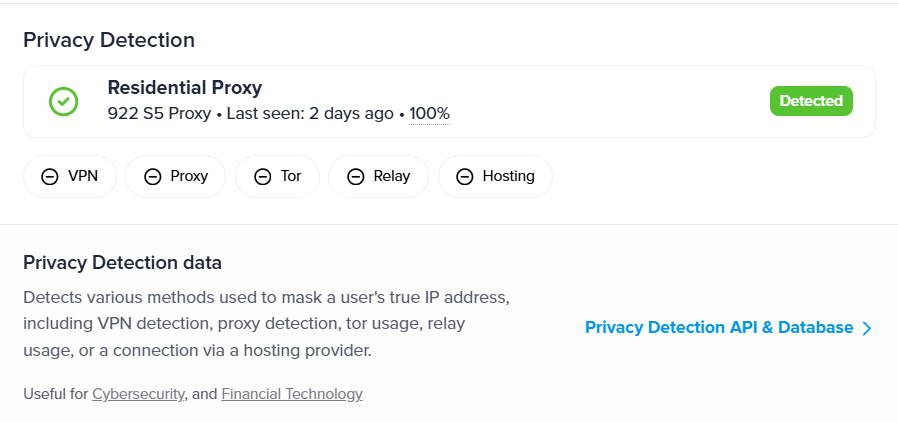
Now, let’s try to understand what we are seeing here:
- Residential Proxy: Indicates your IP address is part of a residential proxy pool
- 922 S5 Proxy: This is the name of a residential proxy provider that provides individuals and groups with access to use your IP address. Please note that this is not the only company that has access to your IP address. This is the only service that is likely part of the dozens of other services we detect.
- Last seen: 2 days ago: The last seen data is according to our detection method. This means that we were unable to detect the use of the residential proxy. In fact, we ourselves verified the usage by sending network packets through that IP address.
- 100%: That value shows for how many days within the last 90 days your IP address was part of a residential proxy pool. 100% means that for the previous 90 days, your IP address was observed to be used.
Please understand that, in most cases, it is unlikely that you intended to have your IP address used in a residential proxy network. If your connection uses CGNAT, you are already sharing a single public IP with multiple people and devices. This is common for mobile networks and low-cost broadband services, where several users can appear under the same IP address. If any of the devices choose to host proxyware or malware, it could result in the IP address being detected as a residential proxy IP address.
What we know so far about residential proxies
It was once assumed that large-scale residential proxy operations occur through simfarms.

However, the reality is that residential proxies often utilize SDKs that are built into various phone apps or desktop software.
Free VPN or proxy apps can use your residential connection to route data to the internet, which may cause your IP to appear in a residential proxy pool. In other words, when you install these apps to tunnel your own traffic through their servers, some apps can also route their traffic through your IP address.
Proxyware is software that lets a company or developer use your internet connection and IP address to route traffic for other users. By installing the app, you may unknowingly share your bandwidth, effectively turning your device into a residential proxy. The use of your bandwidth and IP address is not limited to a single company. In many cases, it can be shared across multiple resellers and services, which you may never interact with or know how they use your connection.
Even though Proxyware apparently feels to be designed as consented software where you give access to your bandwidth and IP address for cryptocurrency or some sort of reward system that has largely evolved from that point. The reality is that users of share-your-connection app do not consider that the IP address they are using are not exclusive to them and could be used by other people as well.

In the paper "Shining Light into the Tunnel: Understanding and Classifying Network Traffic of Residential Proxies,” researchers examine the company Honeygain and note that Honeygain contributed 4.58 million flows (141 GB) in the US and 3.57 million flows (13 GB) in China.
Honeygain is transparent about its high-level intention. However, the issue is that even if you have not installed Honeygain and use a shared IP address, the consequences of other users using your bandwidth will be shared among all users through an IP address-based scoring and antibot mechanism.


Noted by Humansecurity, proxyware SDKs obtain internet access via OS‑level permissions (e.g., INTERNET, FOREGROUND_SERVICE, BOOT_COMPLETED on Android), which users must explicitly grant at install or runtime. Legitimate SDKs use this channel for functions like cloud sync or secure API calls.
PROXYLIB SDK for example, embedded in apps such as Oko VPN leveraged these same permissions to covertly enroll devices into residential proxy networks, routing traffic through C2 servers (nsignal[.]net) and monetizing bandwidth via Asocks. Its successor, the LumiApps SDK, allowed APK injection of proxy code, often omitting consent dialogs, effectively converting user devices into proxy nodes without disclosure.


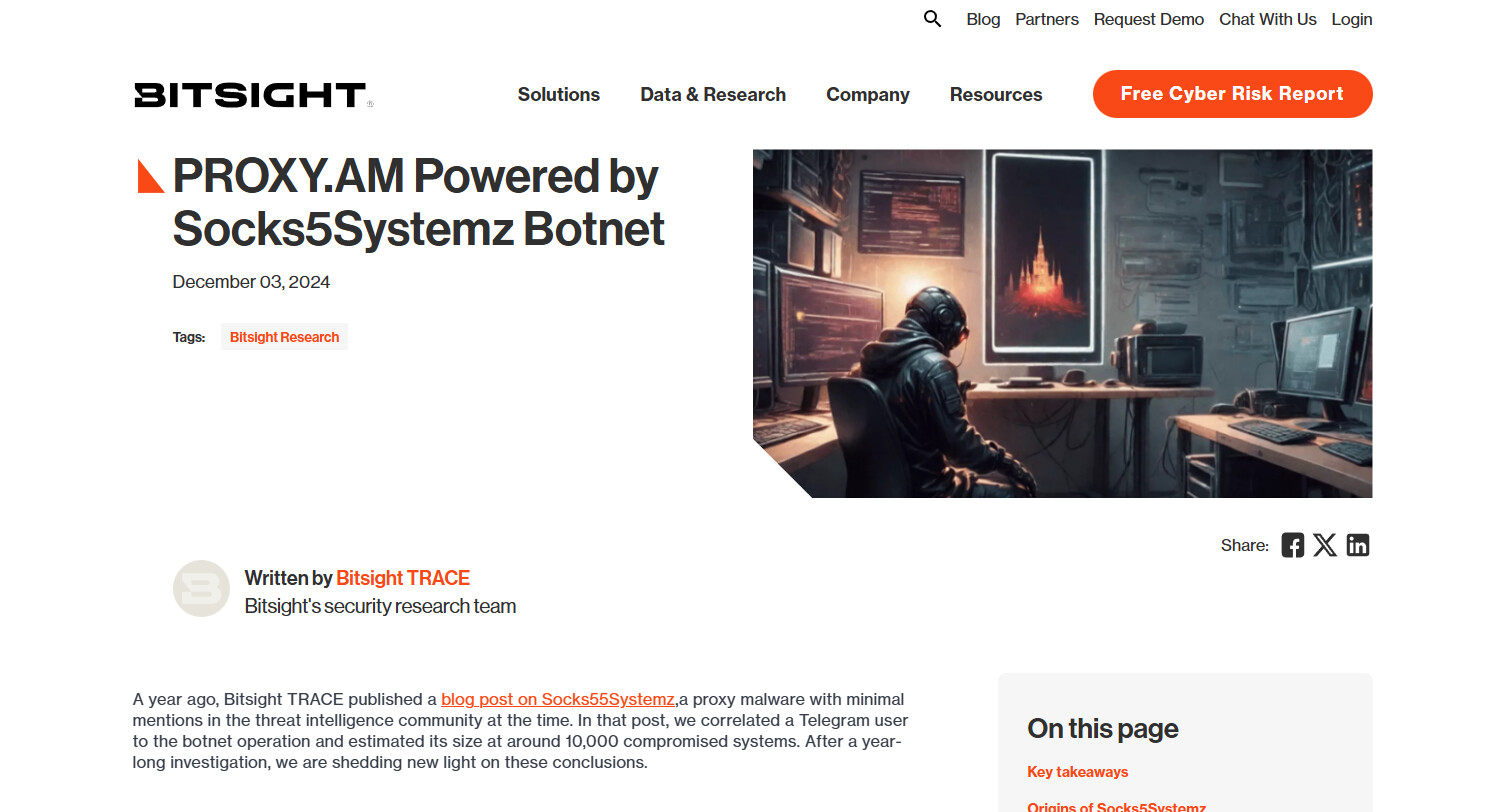
Going beyond proxyware, your bandwidth can even be simply hijacked through traditional malware. For example, a Bitsight report reveals that the Socks5Systemz botnet, active since 2013 and peaking at 250,000 infected systems, powers the PROXY.AM service to sell criminal proxy access worldwide.
Also, the NSOCKS botnet, powered largely by the ngioweb malware, exploits vulnerable routers and IoT devices to create a massive criminal proxy network used for fraud, phishing, and DDoS attacks.

Even though by and large, the idea is that proxyware SDKs and apps claim to use the user’s “bandwidth connection,” it is only half the truth. Any of these companies can get a server through a hosting provider in your country and pay significantly less in terms of operational costs to route traffic. The core value comes from using your IP address.
The purpose of residential proxy IPs is to route internet traffic through real residential connections, often mixing different users’ browsing behavior with automated traffic from programs used for tasks like web scraping or data collection. Because residential proxy pools distribute access to the same IP across multiple services, there is typically no central monitoring or logging. This decentralized approach gives the industry a reputation for being somewhat like the Wild West.
How do we detect residential proxy IP addresses?
We detect residential proxies through several strategies, including behavior-based detections via active measurement within our probe network, independent third-party data, and subscription to hundreds of proxy services, which enable us to identify IP addresses associated with residential proxies. On a foundational level, we not only identify residential proxies, we can also verify the usage of communication network packets through residential proxy IPs.
We also provide categorization information for regular residential proxies, mobile/phone/carrier type residential proxies, and data center proxies.
Full documentation on our residential proxy data is available here: Documentation for IP to Residential Proxy Database | IPinfo.io
How do you prevent residential proxy services from using your IP address?
To prevent residential proxies from using your IP address, you have to be vigilant. If you see your IP address being identified as a residential proxy IP address according to your data, start by doing some housekeeping.
Remove unnecessary apps from your mobile. Even apps that have great reviews may contain bloatware SDKs. So, install only verified apps that you need to use. Even though bloatware SDKs are not necessary.
After removing unnecessary apps and software from your system, install a DNS monitoring service and a firewall. This can be Opnsense, Pi-hole, or even a phone-level firewall and DNS monitoring service such as Rethink DNS.
But in the end, the hard truth is:
- When bandwidth is shared or used without your knowledge through proxyware or compromised devices, you need active monitoring and vigilance to detect it.
- If your connection uses CGNAT, your IP is shared with multiple users.
- Your WiFi could be accessed by devices or people you haven’t authorized.
- Even a family member playing a free phone game could unknowingly run apps with proxyware SDKs.
- Setting up a central firewall is possible, but it can take a weekend or two and requires ongoing monitoring.
On an individual level, it is difficult to fully prevent residential proxies from using your IP. That’s why it’s a good idea to involve your organization or ISP and consider professional guidance.
Work with Your ISP and company
The reality is that preventing your IP address from being used in a residential proxy is not simple. It requires constant vigilance and a solid understanding of cybersecurity. It’s also important to remember that while an IP address is assigned to you, you don’t fully control it. The ultimate authority over the IP belongs to the ASN, which is usually your ISP or the provider you lease the connection from.
The best course of action is that if you notice your IP flagged as part of a residential proxy, you should inform your ISP and suggest they reach out to us. This is especially important if you see residential flags on organizational IP ranges, as it could indicate compromised devices, malware activity, or company IP ranges being used by outside parties. If a company IP address appears in a residential proxy pool, it should be treated as a high-priority issue. Even residential traffic that is consented or legitimate can sometimes resemble patterns of malicious network activity, so vigilance is key.